Made in Australia

Navigation for
golf buggies.

Car navigation sends you down the highway. GoCaddy routes a buggy — along the cart paths, through the estate, to the shops and back — and knows the hole you are standing on when you get there.

Free. No account, no adverts, no tracking.

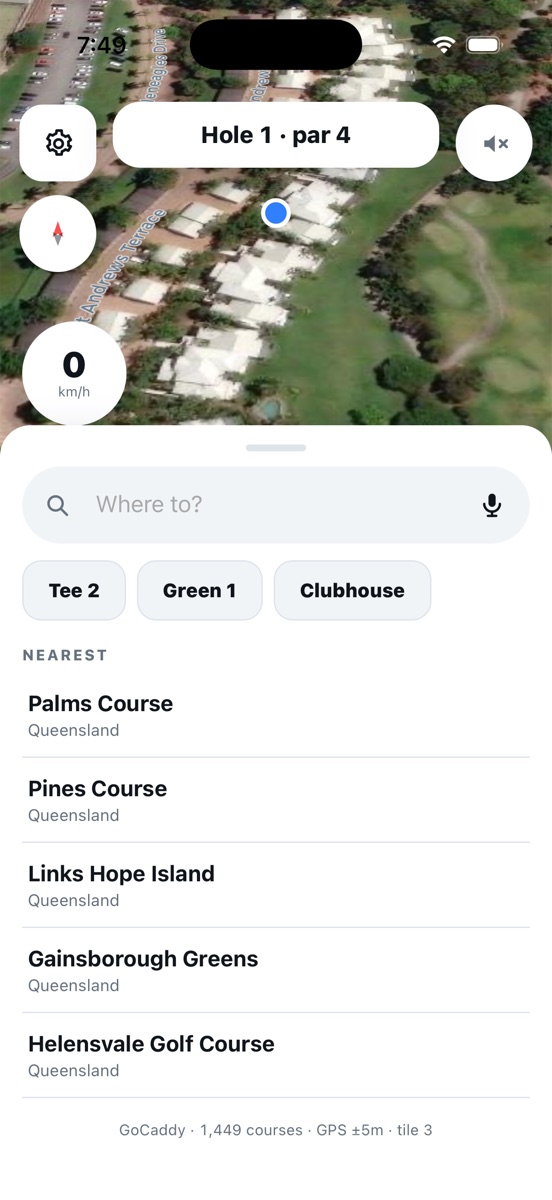
GoCaddy showing the current hole over satellite imagery with a search sheet open
1,449Australian courses built in
WorldwideAny destination, any course
OfflineCourse data with no signal
FreeNo account, no ads

Everything a buggy actually needs.

Built around how these things get driven — to the tee, then to the shops, then home again.

Any destination on earth

Search the supermarket, a restaurant, a friend's street, the clubhouse. Turn-by-turn the whole way, with voice — and a search box you can talk to instead of type into.

It knows where you are

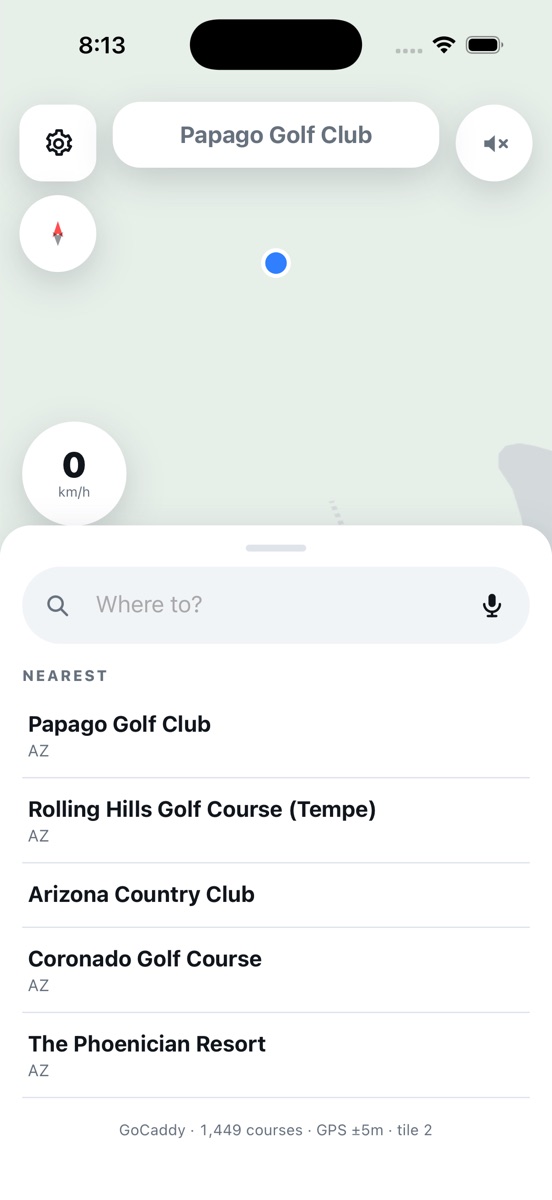
Pull up at a course anywhere in the world and the layout loads by itself — holes, greens, bunkers, paths. No picking your course from a list every round.

On your buggy screen

Add the widget and your position appears on the CarPlay dashboard — the hole you are playing when you are on a course, a road map when you are not.

Cart paths, not highways

Routing follows the paths the estate actually uses, and joins them to the local streets, so you are not sent onto a road no buggy should be on.

Yardages that mean something

Front, middle and back of the green, carry distances to every bunker, and what the hole plays after elevation — not just a number to the pin.

Walking or riding

Instructions adapt to your pace — closer, finer and worded differently on foot than they are at fifteen kilometres an hour.

Nothing to set up.

Most golf apps make you find your course, pick your tee and start a round before they will tell you anything. GoCaddy just looks at where you are.

  • 1,449 Australian courses are built into the app and work with no signal at all.
  • Everywhere else, it finds the course from OpenStreetMap the moment you arrive.
  • The hole advances itself as you play. No tapping between shots.
  • Two GPS sources at once, so a locked phone in your pocket keeps the screen honest.
GoCaddy listing nearby courses after detecting the golfer's position

Questions.

The ones worth answering before you download it.

Does it work on the screen in my buggy?

Yes. Those screens are Android devices with a browser, so the web version runs on them today — no install needed. On iPhone, the GoCaddy widget puts your position on the CarPlay dashboard.

Do I need phone signal on the course?

Not for the golf. All 1,449 Australian courses are stored inside the app, so holes, greens and yardages work with no signal. Searching for a new destination needs a connection, as does loading a course outside Australia for the first time.

Is it really free?

Yes. No account, no subscription, no adverts, and no tracking. Your location is used to draw the map and plan the route, and it goes nowhere else.

Which courses are included?

Every golf course in Australia — 1,449 of them — plus any course in the world with a mapped layout, loaded automatically when you arrive.

Can I use it for something other than golf?

That is rather the point. Buggies, LSVs and NEVs get driven to the shops and to friends' houses far more often than to a first tee, so GoCaddy searches every destination on earth, not just golf courses.
Take the buggy.

GoCaddy is on the App Store. It also runs in any browser — on your phone, or on the screen in the buggy.